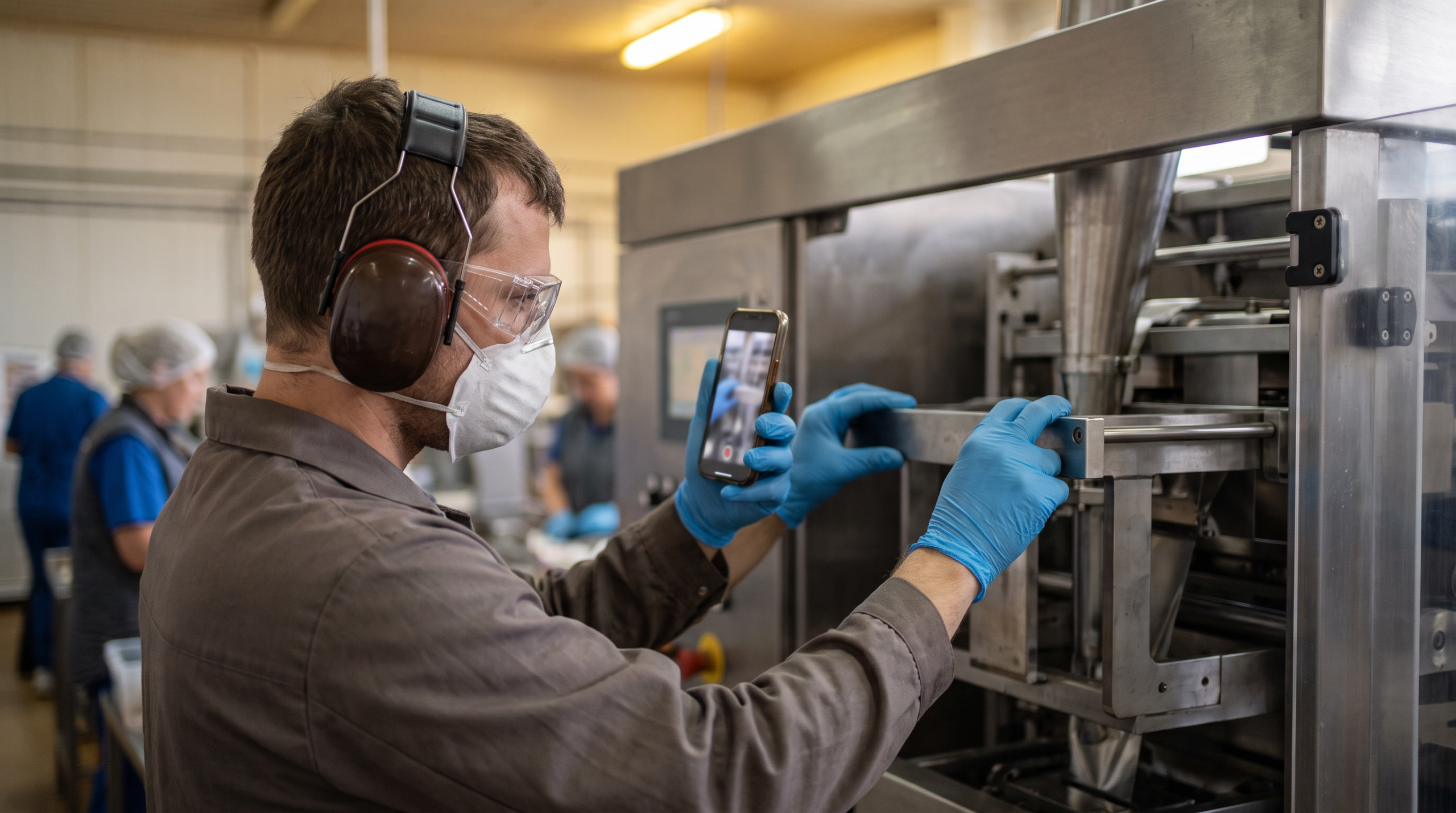
To create an SOP from a video, film one experienced operator doing the task at the workstation while they say each action out loud. Cut the recording into one step per action and write each step as a short instruction with its key point. Then add the safety and equipment information the camera cannot show, and have a second person test it on the floor before it is approved. AI tools now transcribe the video and split it into steps for you; in Manual.to that takes about 60 seconds. Whether the SOP works still depends on the filming and the floor test.
Video to SOP in six steps
A video SOP is a standard operating procedure built from a recording of the task instead of a blank document. The video is the raw material. The SOP is what you have once the recording is cut into steps, completed with what the camera missed, and approved.
- Choose one task that is done often, and the operator who does it well.
- Film it at the workstation, on the real equipment, with the operator narrating.
- Cut the recording into steps: one action per step, each with its key point.
- Add what the video cannot show: scope, safety warnings, tools and parts, who is qualified.
- Have someone who did not film it follow it once at the machine, then send it for approval.
- Publish it where the work happens, in the reader's language.
Why most video-to-SOP advice stops at the screen
On 26 November 2026 we read the first page of Google in English for "video to SOP" from Belgium, the Netherlands and Germany. Most of the tools that ranked do the same job: they record a screen, capture clicks and screenshots, and turn a web-app workflow into a document.
That works for an invoice approval in an ERP. It does not cover a changeover on a filling line or a filter change on a compressor. On the shop floor the operator needs both hands, often in gloves, and the machine is louder than the narration. The detail that matters is a position, a torque, a sound, not a button. Energy isolation happens before the visible work starts, so the camera often misses it. And the next person to read the SOP may not speak the language of the person who filmed it.
The method below is written for those tasks.
Step 1: Choose the task and the person
Start with a task that is done every week, that new starters get wrong, or that only one or two people really know. A first video SOP on a task done twice a year teaches you little about your method.
Film the operator who does it well, not the supervisor who knows the theory, and tell them why. OSHA's guide to job hazard analysis, which also breaks jobs into steps by watching workers, gives the right framing: you are evaluating the job itself, not the employee's performance. Say so before you press record.
Agree on the start and end points too. "Changeover from format A to format B, from machine stopped to first good pack" is a task. "Running line 3" is not.
Step 2: Film it at the workstation
Film on the real equipment, during a real stop if you can. A demonstration on a bench skips the awkward reach behind the guard, and that reach is exactly what the next person needs to see.
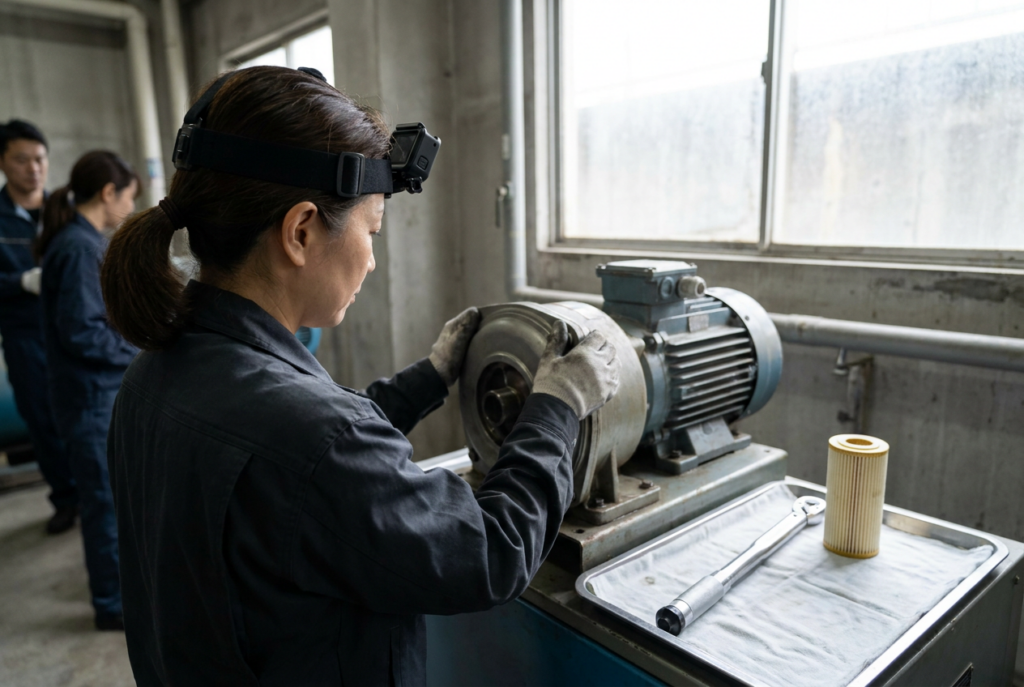
Film from the operator's eyes when the hands matter. A colleague can hold the phone just behind the shoulder, or the operator can wear a head-mounted or body-worn camera. Use a wide shot only to show where the operator stands or which panel they open.
Ask the operator to say what they are doing and why, in plain words: "I wait until the gauge reads zero before I open the housing, otherwise it blows out." The why turns a sequence of moves into a procedure people respect. If the line is too loud, record a short voice note right after, while the operator watches the clip.
Keep one task per video. A 40-minute recording of a whole shift is hard to cut and harder to update.
The video SOP capture checklist
Print this, or keep it on the phone you film with. It turns steps 1 and 2 into a list you can tick at the machine.
| When | Check |
|---|---|
| Before | Task named, with a clear start point and end condition |
| Before | Operator agreed to be filmed and knows the purpose |
| Before | Permission to film in the area (confidential products, other people's faces) |
| Before | Battery charged, storage free, lens clean |
| Before | Tools, parts and consumables laid out and filmed once, part numbers visible |
| During | Energy isolation and lockout filmed, not skipped because "everyone knows it" |
| During | Hands and part in frame for every action; camera steady on the critical moves |
| During | Operator says each action and the reason for it |
| During | Checks shown on camera: gauge reading, alignment mark, the click of a latch |
| During | Task filmed through to the end condition: first good part, leak check, restart |
| After | Clip watched once with the operator to catch missed or silent steps |
| After | Exact values (torque, temperature, settings) taken from the manufacturer's manual or your specification, not from memory |
| After | File named with the task, the machine and the date |
Step 3: Cut the recording into steps
The usual mistake is getting the size of a step wrong. OSHA's job hazard analysis guide warns against a breakdown so detailed that it becomes unnecessarily long, or so broad that it leaves out basic steps. Its own example splits grinding an iron casting into three steps: take the casting from the box and carry it to the wheel, push it against the wheel to grind off the burr, then place the finished casting in the box on the other side of the machine.
For a video, a practical rule is one step per action the operator could get wrong on its own. Each step starts with a verb ("Release the housing clamp"), carries the key point that makes it right ("turn anticlockwise until it drops free, do not lever it"), and shows only the few seconds of video that prove it.
Worked example: a compressor filter change
Here is how a three-minute recording of a filter change on an air compressor could be cut. The task is generic: on a real machine, take values and intervals from the manufacturer's manual.
| Clip | Step | Key point |
|---|---|---|
| 00:00 to 00:20 | Stop the compressor and lock out the isolator | Your own padlock and tag on the isolator, not just the stop button |
| 00:20 to 00:45 | Vent the filter housing | Wait until the gauge reads zero before touching the housing |
| 00:45 to 01:10 | Release the clamp and remove the bowl | Support the bowl with one hand; it may still hold condensate |
| 01:10 to 01:35 | Remove the old cartridge and check the seal | Replace the seal if it is flattened or cracked |
| 01:35 to 02:10 | Fit the new cartridge and refit the bowl | Hand tight, then torque to the manufacturer's value |
| 02:10 to 02:40 | Remove the lock, restart and check for leaks | Listen at the housing joint before you walk away |
| 02:40 to 03:00 | Record the change | Date and cartridge reference in the maintenance log |
The first two steps carry most of the risk and take the least screen time. When you cut a video, look hardest at the short, quiet moments. That is where the safety steps hide.
Step 4: Add what the video cannot show
A video shows how. It does not say when the SOP applies, who may do it, or what to do if something looks wrong. The US Environmental Protection Agency's guidance on preparing SOPs lists ten topics for the procedure section of an SOP, and notes that not all of them apply to every procedure. Here is how each one maps to a video SOP for a shop-floor task:
| EPA topic | In a video SOP for a shop-floor task |
|---|---|
| Scope and applicability | Write it: which machines, lines or product formats the SOP covers |
| Summary of method | One or two sentences above the steps: what the task achieves |
| Definitions | Only for site terms a new starter will not know |
| Health and safety warnings | Write it: PPE, energy isolation, hazards of this task, and film the lockout |
| Cautions | Put them on the step they belong to, as key points |
| Interferences | Conditions that can spoil the result; skip it if none apply |
| Personnel qualifications and responsibilities | Write it: who is trained and authorised to do the task |
| Equipment and supplies | Film them once and list them with part numbers |
| Procedure | The video steps: one action, one key point and one clip each |
| Data and records management | Write it: what to log once the task is done, and where |
The same guidance asks for SOPs written "in a concise, step-by-step, easy-to-read format" and recommends diagrams and flow charts to break up long text. A short clip on each step does that job. For the wider picture of how an SOP is rolled out and kept alive, see our guide on how to implement a standard operating procedure.
Step 5: Test it on the floor, then approve it
Give the draft to someone who did not film it and ask them to follow it once at the machine while you watch. Every question they ask points to a missing step or a vague key point. Fix those, then send it for approval.
In a regulated plant, approval is part of the procedure. The EPA guidance recommends that SOPs are reviewed by people with the right training and experience, approved as set out in the organisation's quality management plan, and reviewed again periodically, for example every one to two years. In the US, the good manufacturing practice rules for finished pharmaceuticals (21 CFR Part 211) are stricter. Section 211.100 requires written production and process control procedures. These procedures, including any changes, must be drafted, reviewed and approved by the appropriate organisational units, and reviewed and approved by the quality control unit. They must be followed when the work is done, and that work must be documented at the time it is performed. Any deviation from them must be recorded and justified.
So a video SOP needs the same document control as a written one: an owner, an approval record and a version history. Our article on digital SOP compliance for ISO and FDA standards covers what auditors look for.
Step 6: Publish it where the work happens
An SOP stored in a shared drive gets read at a desk, if at all. A video SOP is most useful at the machine, on a device the operator already carries, a few seconds before the task starts. A QR code on the machine or the workstation that opens the SOP in a browser removes the trip to the office.
Plan the language question from the start. The operator who filmed the task and the operator who reads the SOP may not share a first language. Our guide to multilingual work instructions goes into the details.
If you are converting a whole library of paper procedures, film the tasks where paper fails most and leave the rest for later. The paper-to-digital SOP playbook explains how to set the order.
How Manual.to turns a shop-floor video into an SOP
Manual.to starts from the video. An operator films the task with a smartphone, a tablet, smart glasses or a body-worn camera, and uploads the file (MP4, MOV or WebM, up to 2 GB). The AI transcribes the video and structures the steps, with no script or writing beforehand. The visual step-by-step instruction is ready in about 60 seconds.
The rest follows the method above. You edit the text, images and video at any time to add the scope, warnings and key points the camera did not capture. An approval circuit lets a reviewer check an instruction before it is published, and every instruction keeps a full version history. Automatic translation lets each operator read it in their own language, and text-to-speech reads it aloud. A QR code on the machine, tool or workstation opens it in a browser on any device, with no app to install. You can see who read which instruction and for how long, and readers can leave comments on each one.
To see how this compares with other ways of managing procedures, visit our SOP software page.
Frequently asked questions
Can AI create an SOP from a video?
Yes. AI can transcribe the narration, split the recording into steps and draft the text for each one. It cannot know what the camera missed, such as a lockout done off screen or a torque value. A person who knows the task still has to check the draft, add the missing information and approve it.
How long should an SOP be?
As long as the task needs, and no longer. The EPA's SOP guidance says there is no one correct format and asks for a concise, step-by-step, easy-to-read text. For a video SOP, film one task per recording, from a clear start point to a clear end condition, and show a short clip on each step rather than the whole recording.
Is a video SOP enough for a compliance audit?
Not on its own. A video SOP needs the same document control as a written one: an owner, an approval record and a version history. For finished pharmaceuticals in the US, 21 CFR 211.100 requires written production and process control procedures that are reviewed and approved by the quality control unit.
Sources
- OSHA, Job Hazard Analysis, OSHA 3071, 2002 (revised)
- US EPA, Guidance for Preparing Standard Operating Procedures (SOPs), EPA QA/G-6, EPA/600/B-07/001, April 2007
- 21 CFR 211.100, Written procedures; deviations, eCFR, up to date as of 22 October 2026
- 21 CFR Part 211, Current good manufacturing practice for finished pharmaceuticals, eCFR
Film one task this week
Pick a task your team does every week and the operator who does it best. Film it at the machine, cut it into steps, and watch a new starter follow it. You will know quickly whether the method works on your floor.
Book a demo Try Manual.to