Standard Operating Procedures (SOPs) are the backbone of safe, consistent work. They protect quality, keep people safe, and make sure a task is done the same way on every shift, at every site. But most standard operating procedure software was built for office teams: text-heavy documents, locked behind logins nobody on the floor has, written at a desk far from the machine they describe. Manual.to takes a different approach.
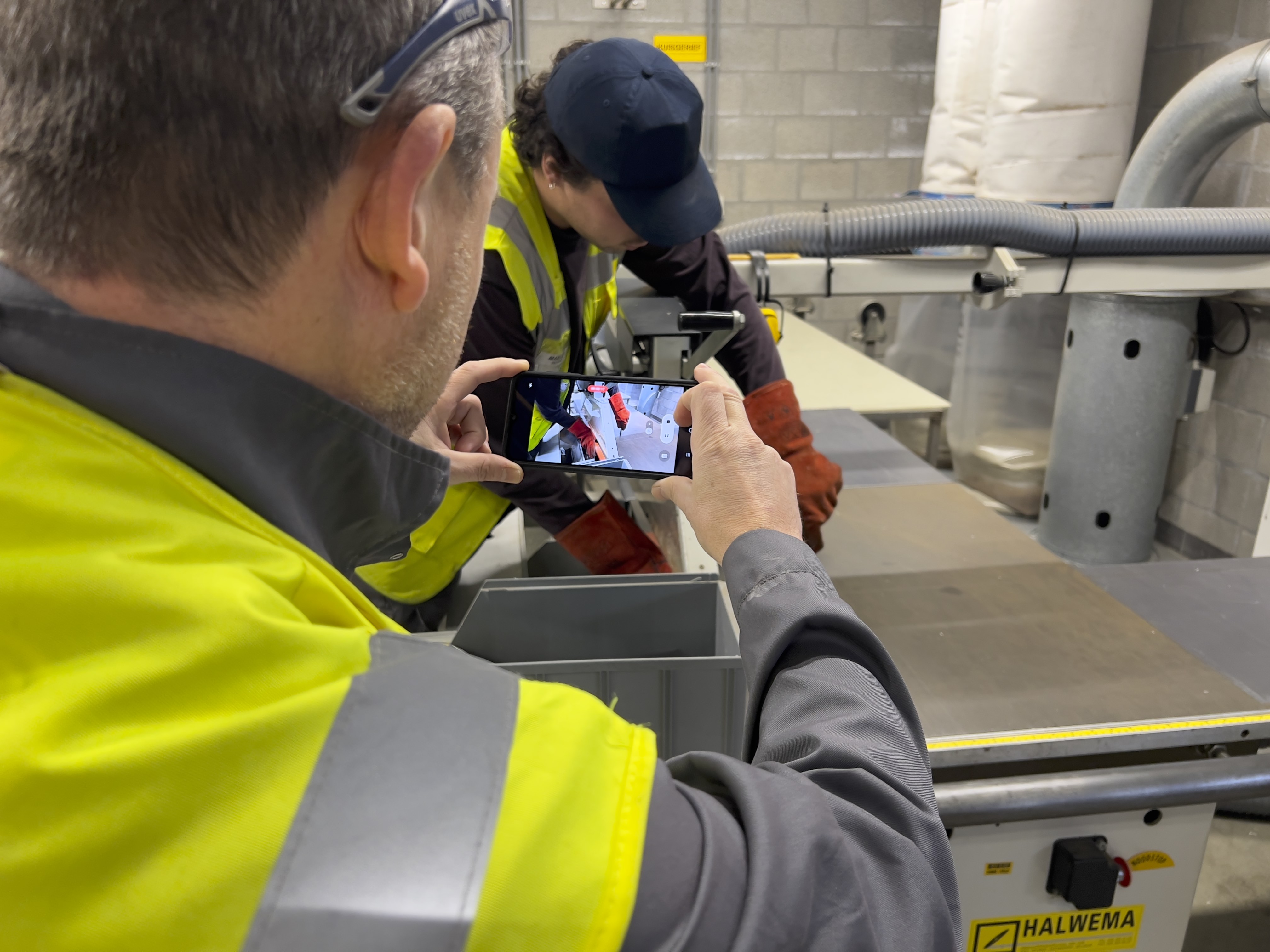
Manual.to is SOP software for manufacturing and frontline teams. It lets you create, distribute, and track visual SOPs in minutes, using photos and video instead of walls of text, with no training required to use the platform.
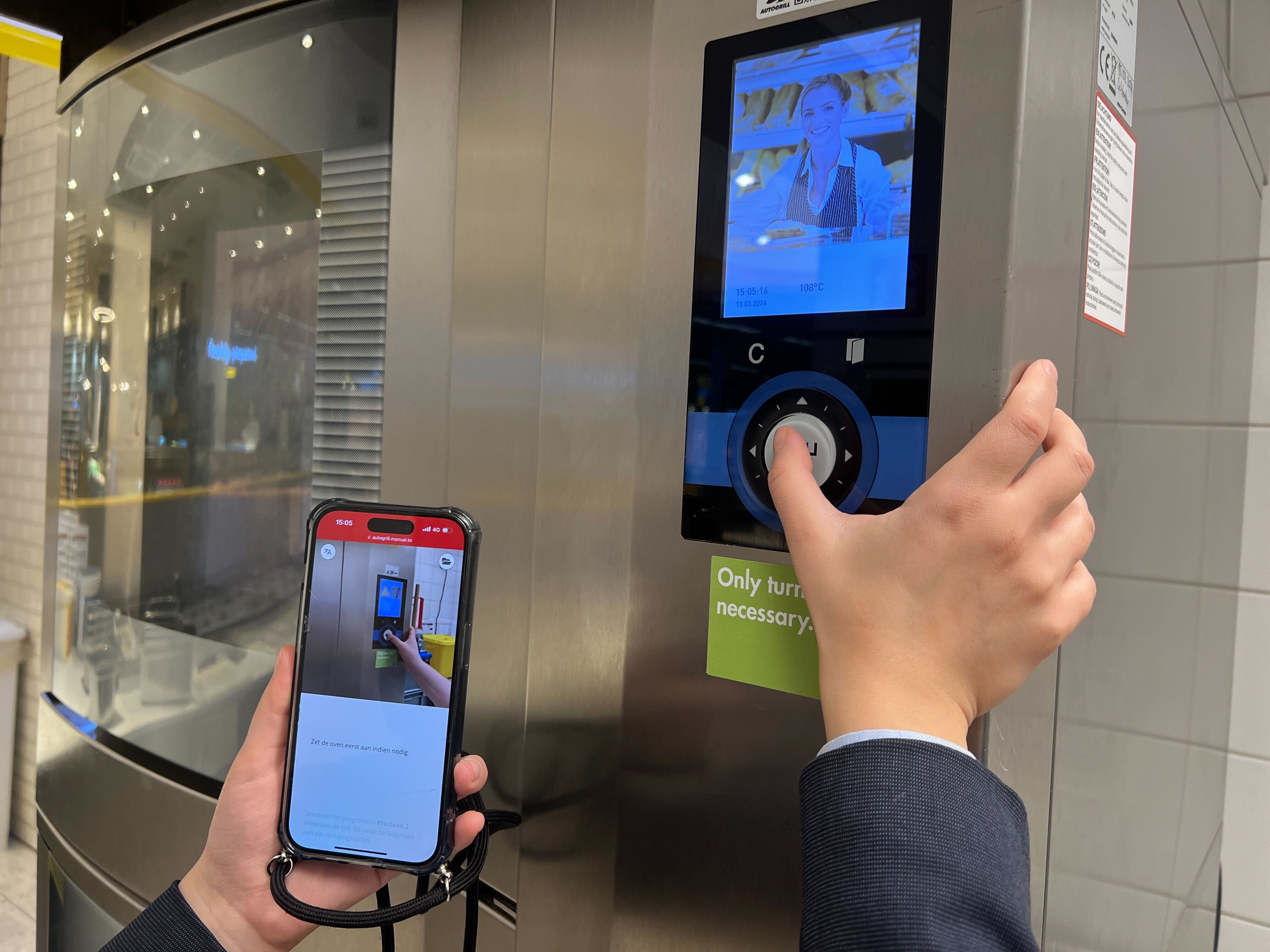
Whether you are onboarding new hires, standardizing machine setup on a production line, or rolling out procedures across multiple sites and languages, Manual.to helps you do it faster and at scale. An operator opens the right SOP by scanning a QR code at the workstation. No app, no login, no digging through a shared drive.
What Is SOP Software?
SOP software lets a company document a standard operating procedure once and put it in front of everyone who does the work, so the same task is performed the same way on every shift. If you are still defining your procedures, start with our guide to the key steps for writing and implementing an SOP.
Digital SOP software matters most where the work is physical and the cost of a mistake is high:
-
Manufacturing: machine setup, changeovers, and quality checks on production lines
-
Logistics: picking, packing, and loading procedures in warehouses
-
Food processing: hygiene routines, allergen handling, and changeover cleaning
-
Pharma and GMP production: procedures that must be documented, versioned, and auditable
-
Construction and field services: safety protocols and equipment procedures on site
-
Healthcare and care homes: care routines and hygiene procedures
This is exactly where most SOP tools fall short. They assume a desk, a company login, time to read, and one shared language. An operator at a filling line has none of that. The best SOP software for manufacturing makes procedures visual, available at the workstation without a login, and translated into the language each worker actually speaks. That is what Manual.to is built for.
2. Share SOPs Where They Matter
Make SOPs available directly on the work floor with QR codes or smart links. No logins, no delays.
-
Generate QR codes to place on machines, tools, or packaging stations
-
Share via WhatsApp, email, Microsoft Teams, or intranet
-
Always accessible: no installations required
Example: A temporary worker scans a QR code at a workstation and immediately sees clear steps — in their own language — to perform a task correctly.
3. Learn and Improve
Track who views the SOPs, how often, and where users stop. Gather insights to improve content and compliance.
-
Usage reports and engagement stats
-
Feedback collection from workers
-
Version control and update notifications
-
Audit-proof logs for compliance
Example: Safety managers monitor training effectiveness and adjust SOPs based on feedback and analytics.
Why Companies Use Manual.to as Their SOP Software
Most SOP tools were designed for people who sit at a computer all day. Frontline teams work standing up, with gloves on, often in a second language. That is where office tools break down and where Manual.to earns its place:
🚧 Error-Prone Workflows
When the procedure lives in a binder or a PDF on a shared drive, people work from memory. Manual.to puts clear, visual SOPs at the workstation via QR code, so operators check the steps instead of guessing them.
👥 High Turnover, Slow Onboarding
Shadowing an experienced colleague takes weeks and ties up your best people. With visual SOPs in their own language, new hires and temporary workers can be productive from day one. Many teams use Manual.to as SOP training software: the same instructions serve onboarding and the job itself.
📚 Outdated or Unused Documentation
Text-heavy documents behind a login do not get read on a shop floor. Manual.to needs no login to view, works on any phone, and every update reaches everyone at once, so nobody follows last year’s version.
🧠 Knowledge Loss
Your most experienced operators and technicians carry procedures in their heads. Capture that know-how in photos and video before they retire or leave, and make it accessible to the whole team.
Weighing your options? See how the leading platforms stack up in our comparison of the best digital work instruction software for 2026.
Built for Teams on the Ground
Manual.to is made for the people who do the work, not just the people who document it:
-
Operators who need guidance at the machine for setup, changeovers, or packaging
-
Line leads and supervisors who keep every shift working to the same standard
-
Maintenance technicians who install, repair, and service equipment
-
Quality managers who need proof that procedures are followed, with audit logs to show for it
-
Warehouse staff who follow picking, packing, and loading instructions
-
External contractors and temporary workers who need job-specific SOPs without a company login
-
Trainers and team leads who use it as SOP training software for onboarding and refresher training
All of it is designed for non-technical users. A line worker with a smartphone can create an SOP in minutes, and a colleague can follow it in over 100 languages. No IT project, no video editing skills, no login for viewers.
Ready to Transform Your SOPs?
Get started today and create your first SOP in minutes.
Do you still have questions? Head over to FAQ to have more frequently asked questions explained.
Talk to Us
Schedule a demo with our Manual.to Specialists