Standard Operating Procedures (SOPs) are the backbone of consistent work. They keep people safe, quality stable, and output predictable. But most teams still write them in Word, print them, and file them in a binder nobody opens. The result: the instructions exist, and the work still gets done from memory.
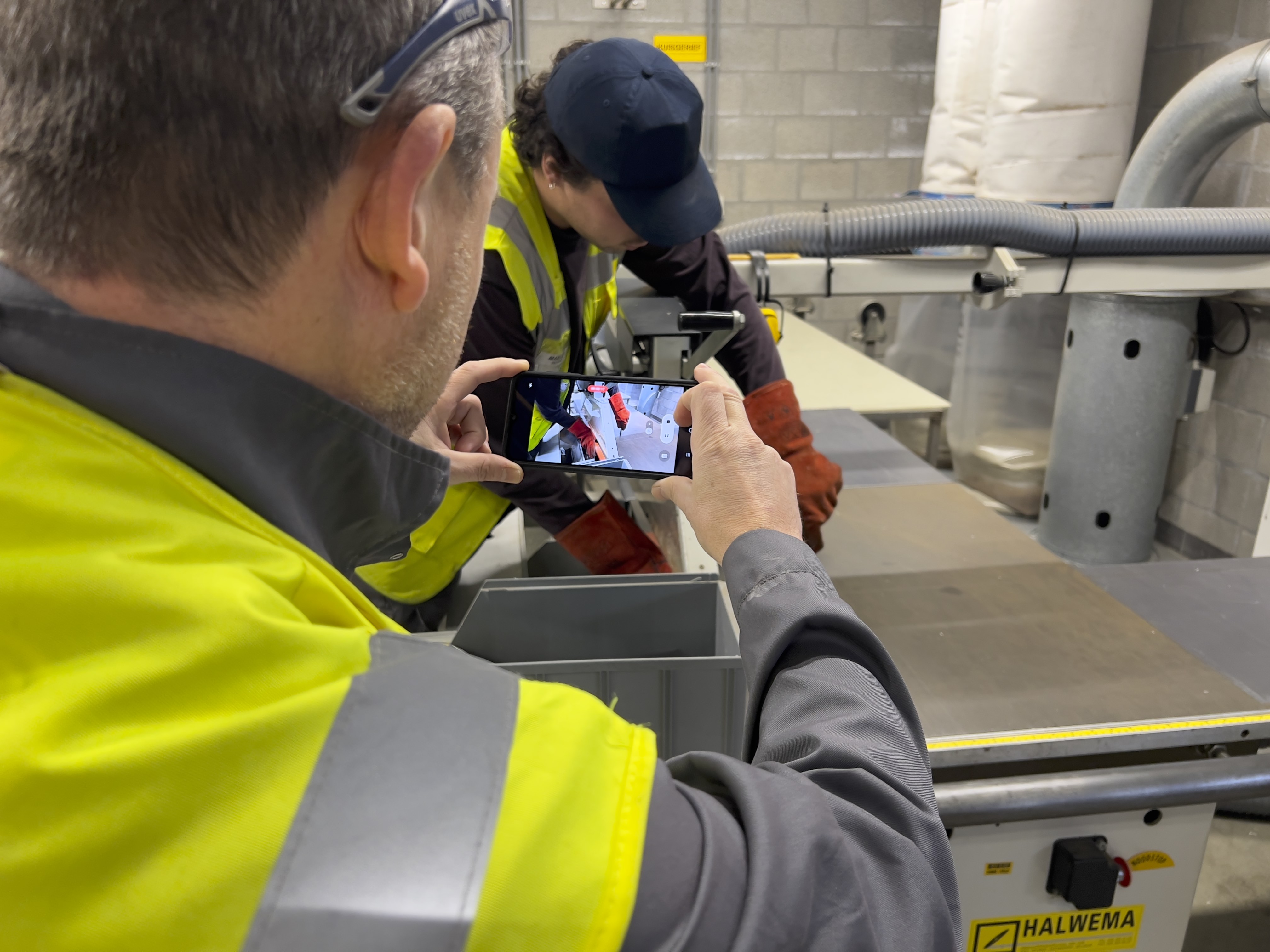
Manual.to is work instruction software built to close that gap. Film the task once, and AI turns the footage into structured, step-by-step digital work instructions, translations included. No scripting, no writing project. Creating an SOP goes from a task people postpone for weeks to something a team lead finishes the same day.
That speed is not a convenience. It is what decides whether documentation happens at all. When an instruction takes minutes to make, it gets made. When it is visual and sits at the workstation, it gets followed.
Whether you are onboarding new hires, standardizing machine setup, or rolling out procedures across multiple sites, Manual.to helps you do it faster and at scale, with no training required. New to the category? Start with our 2026 guide to digital work instructions for manufacturing.
What Is Work Instructions Software?
Work instructions software helps organizations document how tasks should be done and put those instructions in front of the people doing the work. You will also see it called digital work instructions or electronic work instructions. Same idea: replace paper and PDFs with instructions that live where the work happens. It matters most in industries where the cost of a skipped step is real:
The uncomfortable truth about this category: most work instructions are written, approved, and then ignored. The ones that actually get followed share a few traits. A photo or video at every step, not a wall of text. Access at the workstation through a QR code, not a file buried on a shared drive. No login for the person reading. And a version in the reader’s own language when crews are multilingual.
That is the standard Manual.to is built around: visual work instructions that are simple to create, simple to find, and simple to follow.
How Manual.to Works as Work Instructions Software
1. Create Visual SOPs Instantly
Build visual, step-by-step work instructions right from your smartphone, tablet, or desktop. Easily combine videos, images, and text into clear guides in just a few minutes.
-
No need for editing tools
-
Built-in templates
-
Translate into 100+ languages
-
Optimized for all skill levels
Example: A production lead creates a machine start-up guide using their phone in under 15 minutes — no IT support or editing software needed.
2. Share Work Instructions Where They Matter
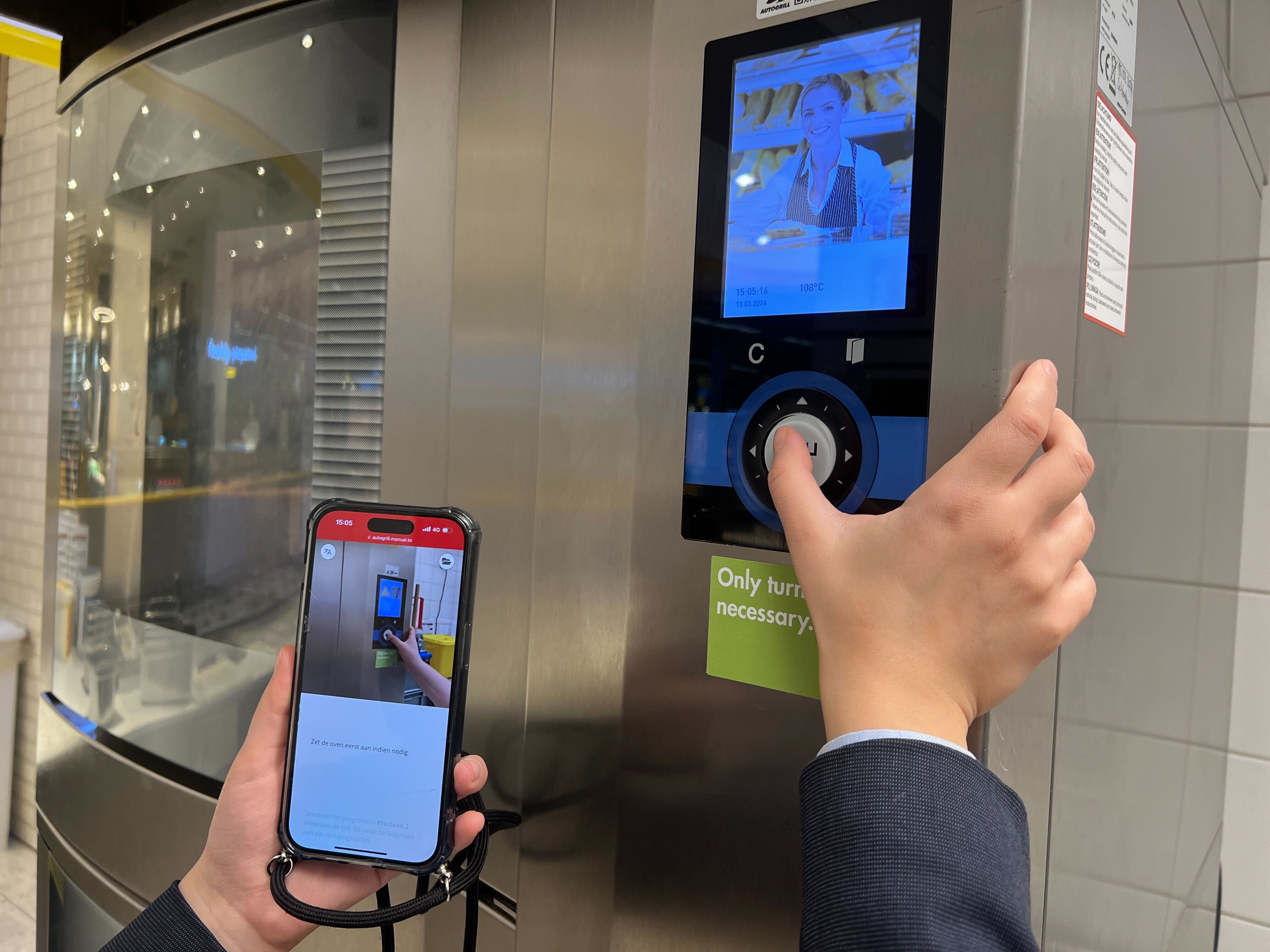
Make work instructions instantly available on the shop floor through QR codes or smart links. No logins, no waiting.
-
Generate QR codes to place on machines, tools, or packaging stations
-
Share via WhatsApp, email, Microsoft Teams, or intranet
-
Always accessible: no installations required
Example: A temporary worker scans a QR code at their station and instantly views step-by-step instructions — in their preferred language — to carry out the task correctly.
3. Learn and Improve
Track who views the work instructions, how often, and where users drop off. Use that insight to refine content and boost compliance.
-
Usage reports and engagement stats
-
Feedback collection from workers
-
Version control and update notifications
-
Audit-proof logs for compliance
Example: Safety managers track training results and fine-tune work instructions based on real user data and feedback.
Why Companies Use Manual.to as Their Work Instructions Software
Manual.to addresses the everyday challenges businesses encounter:
🚧 Error-Prone Workflows
When instructions aren’t clear, errors occur. Manual.to removes the guesswork with visual, on-the-spot work instructions.
👥 High Turnover, Slow Onboarding
New employees become productive from day one—no need to wait for job shadowing or lengthy training sessions.
📚 Outdated or Unused Documentation
Keep work instructions up to date with instant edits. Everyone accesses the latest version—no more chasing down binders or PDFs.
🧠 Knowledge Loss
Capture the know-how of your most experienced team members before they leave. Make their skills and tips available to all.
Built for Teams on the Ground
Manual.to supports:
-
Operators who need guidance on machines, tools, or packaging
-
Technicians who install, repair, or maintain equipment
-
Warehouse staff who follow picking and packing instructions
-
External contractors who need job-specific work instructions
-
Trainers and team leads who create and distribute content
Built with non-technical users in mind, Manual.to empowers everyone — from HR to frontline staff — to create work instructions quickly.
Ready to Transform Your Work Instructions Software?
Get started today and create your first work instructions in minutes.
Still comparing tools? See our independent comparison of the best digital work instruction software in 2026, including where Manual.to fits and where another tool may be the better pick for you.
Do you still have questions? Head over to FAQ to have more frequently asked questions explained.